
Tag Archive for: “Identity Theft

How to Choose a Cybersecurity Awareness Month Speaker Who Engages AND Changes Behavior
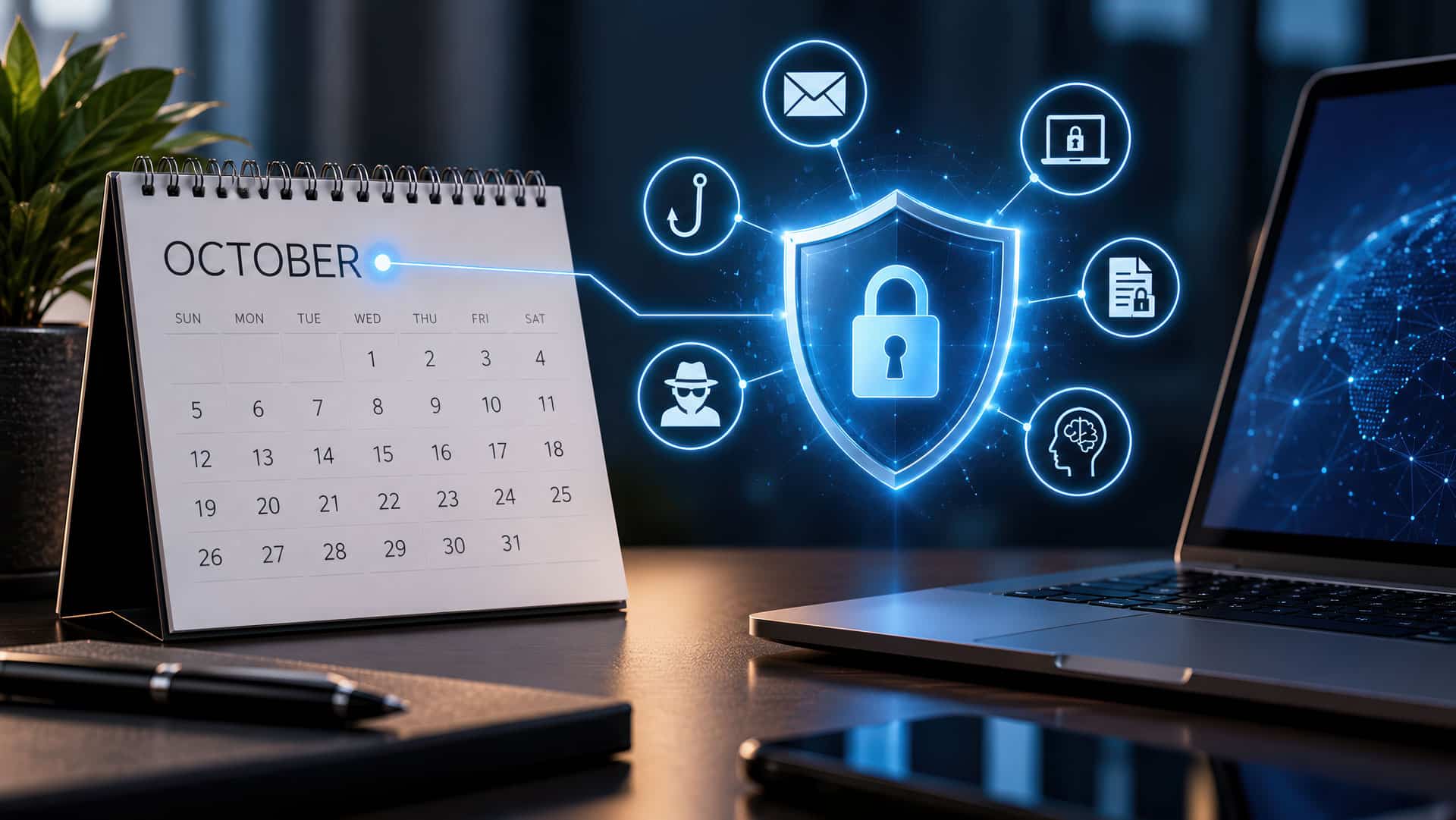
A professional, high-resolution image featuring an October calendar icon paired with a digital shield and lock on a computer screen, symbolizing effective Cybersecurity Awareness Month training.

The best cybersecurity awareness speakers don’t just explain threats. They change what people do when the suspicious email, urgent payment request, or fake login screen actually appears.

October has a way of turning cybersecurity into broccoli. Everyone agrees it is good for them. Nobody is particularly excited when another serving appears on the calendar. Cybersecurity Awareness month often brings up these feelings each year. Cybersecurity Awareness Month can quickly become a blur of phishing simulations, intranet reminders, posters, mandatory training modules, and emails telling employees not to click suspicious emails—which, naturally, arrive by email. A great Cybersecurity Awareness Month speaker will break that pattern.

The right speaker does more than explain ransomware, phishing, deepfakes, or whatever terrifying acronym has joined the threat landscape this year. They make cybersecurity personal, recognizable, and most importantly, actionable. Because the real goal isn’t to turn every employee into a cybersecurity expert.

It’s to help people make one better decision when it matters.

Start With Behavior, Not the Speaker Bio

Before watching speaker reels or comparing credentials, decide what you want your audience to do differently after the presentation.

That sounds obvious. It often isn’t.

“We want employees to be more aware of cybersecurity” is not really an outcome. It’s a hope.

Better outcomes sound more like this:

  • Employees verify unusual payment or password requests before acting.
  • People report suspicious messages quickly instead of quietly deleting them.
  • Executives understand how attackers manipulate urgency and authority.
  • Employees use stronger authentication and safer password practices.
  • Teams become more comfortable saying, “Something about this doesn’t feel right.”

Different audiences require different conversations.

An all-employee Cybersecurity Awareness Month kickoff is not the same as a board presentation. Finance teams face different risks than sales teams. Healthcare, financial services, government, education, manufacturing, and professional services all have their own versions of “normal”—and criminals are very good at exploiting normal.

A good speaker understands the difference.

Customization shouldn’t mean pasting your company logo onto slide number three. It should mean connecting proven security lessons to the decisions your people actually make.

Cybersecurity Is a Human Problem Wearing a Technology Costume

Technology matters enormously in cybersecurity. But attackers increasingly succeed by going around the technology and targeting the person using it.

They manufacture urgency.

They impersonate authority.

They exploit helpfulness.

They borrow trust.

And with artificial intelligence making phishing, impersonation, voice cloning, and social engineering faster and more convincing, the old advice to simply “look for bad grammar” is becoming about as useful as telling someone to identify counterfeit money by squinting harder.

Employees need to understand how manipulation works.

That is one reason live presentations can succeed where static training struggles. A strong speaker can put an audience inside a realistic situation and show how a perfectly reasonable decision becomes the first step in a very unreasonable disaster.

Once people understand the psychology behind the attack, cybersecurity stops being a collection of rules. It becomes pattern recognition.


Look for Credibility—and the Ability to Translate It

Cybersecurity credentials matter, particularly when your audience includes IT, risk, compliance, privacy, legal, or security professionals. But expertise and communication are different skills. Someone can understand a threat at extraordinary technical depth and still leave 800 employees wondering what just happened for the past 60 minutes.

The best cybersecurity speakers translate complexity without dumbing it down.

They can explain credential theft, business email compromise, deepfakes, account takeover, ransomware, or AI-enabled fraud in language a nontechnical audience immediately understands.

Just as important, they understand the human consequences.

Cybercrime is not merely about compromised servers and stolen data. It affects careers, customers, companies, families, reputations, finances, and sometimes entire organizations.

That human connection matters.

My own work in cybersecurity began after my identity was stolen and used to commit crimes. The experience destroyed my business, damaged my finances, and nearly landed me in jail for crimes I didn’t commit. That changes the way you talk about cybersecurity.

For me, it has never been primarily about technology. It is about what happens to people when the technology fails—or when another human being is manipulated into making the wrong decision.

The Best Cybersecurity Awareness Makes Threats Visible

A cybersecurity keynote should not feel like someone reading the glossary from a security textbook. Yes, audiences may need to understand terms such as ransomware, business email compromise, deepfakes, credential theft, account takeover, and zero trust. But knowing the vocabulary is not the same as recognizing the attack.

The strongest presentations show people what the dangerous moments actually look and feel like. An unexpected Microsoft 365 login. A Zoom video conference supposedly from the CEO. A vendor asking for updated banking information. A phone call from someone who sounds exactly like a colleague. A QR code that leads somewhere it shouldn’t.

A message that creates just enough urgency that your brain says, I’ll deal with this quickly and get back to what I was doing. That last moment is where much of cybersecurity lives.

Stories, demonstrations, and realistic scenarios help employees recognize those moments before they become incidents. The goal should never be to impress the audience with how clever hackers are.

The goal is to make the audience harder to manipulate.

Fear Gets Attention. Confidence Changes Behavior.

Cybersecurity has no shortage of frightening statistics. And occasionally, fear is useful. Cybercrime has real consequences, and pretending otherwise doesn’t help anyone.

But a security program built entirely around fear creates another problem. People become afraid of making mistakes. And when people are afraid of making mistakes, they often hide them. That is disastrous in cybersecurity.

If someone clicks something suspicious, reports it immediately, and gives the security team time to respond, a potential incident may remain a very small problem. If that person waits three days because they are embarrassed? Different story.

A strong cybersecurity culture rewards curiosity and early reporting.

People will make mistakes. The goal is to create systems and behaviors that catch those mistakes before attackers can turn them into catastrophes.

Personal Protection Makes Workplace Cybersecurity Stronger

One of the most effective ways to engage employees is to show them that cybersecurity doesn’t end when they leave work. The same criminal techniques used against businesses are used against families. Identity theft. Bank fraud. Account takeover. Fake delivery messages. Investment scams. Romance scams. AI-generated impersonation. Password theft.

When employees realize that better cybersecurity habits can protect their children, parents, retirement accounts, credit, and identity, not just the corporate network, the subject becomes immediately more relevant. And relevance drives behavior.

People rarely wake up thinking, Today I would like to improve my organization’s security posture. They do care about protecting their paycheck and their family. Start there.

Choose the Right Format

The format should match what you want the event to accomplish.

A keynote is ideal when you want shared energy, a common security language, and a memorable experience across a large audience.

A breakout session is a perfect addition for when the group needs deeper discussion, scenarios, or Q&A.

A leadership session can focus on decision-making, culture, crisis response, business continuity, and the unique ways executives are targeted.

Many organizations combine them: a keynote for the broader workforce followed by targeted sessions for leaders or higher-risk teams.

But bigger isn’t automatically better.

If your budget allows for only one event, I would rather see an organization deliver one exceptional experience and reinforce five memorable ideas afterward than spread resources across ten forgettable security activities simply because October has 31 days that need filling.

Avoid the Biggest Cybersecurity Awareness Month Mistake

The biggest mistake is treating October as the finish line. Cybersecurity Awareness Month should be a catalyst, not an annual compliance ritual. A strong speaker gives your organization stories, language, and behaviors you can reinforce long after the event ends.

That might mean referencing a memorable demonstration in future phishing simulations. Repeating a simple verification rule (like Hogwash, which is my engaging way of keeping them laughing AND detecting fraud). Including a concept from the keynote in onboarding. Giving managers language they can use with their teams. Reinforcing the idea that reporting something suspicious is a success—not an admission of failure.

The keynote creates the moment. Your culture determines whether the moment lasts.

Choose the Speaker Who Makes the Next Decision Better

Ultimately, the best Cybersecurity Awareness Month speaker isn’t the person who can describe the most sophisticated attack. It is the person who can make a sophisticated attack understandable.

Someone who can hold the attention of both the cybersecurity professional in the front row and the employee in the back who came because Outlook placed the meeting on their calendar.

Someone who makes people laugh without trivializing the risk.

Someone who makes cybercrime real without making people feel helpless.

And someone who leaves the audience thinking:

I know what to look for. I know what to do. And if something feels wrong, I’m going to speak up.

That is cybersecurity awareness worth remembering.

And it lasts a lot longer than October.

Connect with John for your engaging, unforgettable Cybersecurity Awareness Month training! https://sileo.com/contact-us/

The Largest Hack in American Telecom History: What You Need to Know

We’ve just witnessed the largest hack of American telecom companies in history. If you’re a customer of Verizon, AT&T, T-Mobile, or any other major provider, your personal data may have been exposed. Hackers can intercept your texts, record your phone calls, and potentially steal sensitive information. The FBI has even issued an emergency alert in response to this unprecedented breach.

The culprit? A group known as Salt Typhoon, backed by the Chinese Ministry of State Security. These hackers managed to infiltrate the backbone of America’s telecom infrastructure, making this the worst infrastructure intrusion ever. Alarmingly, this breach went undetected for years. American telecom companies were unaware of the lurking danger until Microsoft first uncovered the intrusion.

A Scary New Reality

Here’s where it gets even more concerning:

  • Salt Typhoon gained access to lawful wiretap systems used by the U.S. government.
  • They can see which phone numbers are being tapped and identify Chinese spies under surveillance.
  • They know which spies aren’t being watched, giving them a critical intelligence advantage.

For individuals, the implications are equally alarming:

  • Unencrypted texts and calls can be intercepted.
  • Plain-text messages, like those sent via SMS between iPhones and Android devices, are particularly vulnerable.
  • Hackers can intercept unencrypted two-factor authentication (2FA) codes, compromising account security.

The Organizational Impact

For organizations, the problem lies in the telecom infrastructure itself:

  • Many systems were built decades ago, long before cyberattacks became a widespread threat.
  • These outdated systems remain deeply embedded in modern telecom networks, making them prime targets for intrusion.
  • Once inside, hackers like Salt Typhoon can exploit master passwords to navigate systems undetected.

How to Protect Yourself

To safeguard your communications, consider these steps:

  • Switch to apps with end-to-end encryption, such as Signal, WhatsApp, and FaceTime.
  • Use Apple Messages for encrypted conversations if communicating between two Apple devices.
  • Avoid sharing sensitive information over unencrypted calls or texts.

Before sharing sensitive information over a call or text, think twice. Use encrypted communication tools to protect your privacy and secure your data in this new era of heightened cyber threats.

In today’s rapidly evolving threat landscape, staying ahead of cybercriminals is no longer optional—it’s essential. Equip your team with the skills and knowledge they need to defend against increasingly sophisticated attacks. Let’s collaborate on a dynamic presentation tailored to empower your organization with actionable strategies to outsmart even the most intelligent cybercriminals. Reach out today to strengthen your first line of defense!


Is That QR Code Safe? What You Need to Know About the Cyberthreat Quishing


In our fast-paced, tech-driven world, QR codes have become second nature. We scan them to check out restaurant menus, access Wi-Fi networks, or join virtual events. But beneath their convenience lies a potential cyber threat that’s catching many off guard: Quishing.

Quishing—short for QR code phishing—is a sneaky variant of the classic phishing scam. Picture this: you’re at a cozy café, scanning a QR code to browse the menu. It feels harmless, even mundane. But hidden within that innocent-looking grid could be a link to a malicious website, ready to steal your personal information or unleash malware onto your device.

How Quishing Works

Cybercriminals embed harmful links into QR codes and strategically place them in unsuspecting locations:

  • Public bulletin boards
  • Flyers
  • Transport hubs
  • Online ads
  • Even restaurant tables

These codes often redirect you to phishing sites that mimic legitimate websites. Once you’re there, you might unknowingly hand over sensitive information like passwords, credit card details, or even trigger malware downloads.

Spotting Suspicious QR Codes

Knowing how to recognize potential threats is key to staying safe. Watch out for these red flags:

  1. Unknown Origin: If a QR code appears in an unexpected location or looks unprofessional, think twice before scanning it.
  2. Too-Good-To-Be-True Offers: Scammers often lure victims with promises of amazing deals or exclusive gifts.
  3. Requests for Personal Information: If a scanned code leads you to a page asking for sensitive details right away, it’s a major red flag.

Protect Yourself from Quishing

A few proactive measures can go a long way in keeping you safe:

  1. Verify the Source: Only scan QR codes from trusted entities, such as well-known brands or official communications.
  2. Use Secure QR Scanners: Many modern smartphones come with built-in security features to detect malicious links. Take advantage of these tools.
  3. Close Suspicious Websites: If a scanned QR code leads to a dubious website, close it immediately. Avoid clicking on any links.
  4. Keep Software Updated: Regularly update your device’s operating system and apps to ensure they’re equipped with the latest security patches.

Real-World Quishing Scams

Quishing isn’t just theoretical—it’s happening now. Here are two notable examples:

  • Public Transport Scam: In one major city, scammers replaced QR codes on transport kiosks with their own malicious codes. Commuters who scanned them were directed to phishing sites that stole credit card information.
  • Concert Fraud: Fake posters for a popular concert included QR codes leading fans to a bogus ticketing site. Attendees paid for tickets that never arrived, losing both money and trust.

Stay One Step Ahead

In this digital age, vigilance is your best defense. If a QR code seems suspicious or makes you hesitate, trust your gut. By learning to spot the signs of quishing and practicing safe scanning habits, you can outsmart cybercriminals and keep your personal information secure.

So the next time you’re tempted to scan a QR code, ask yourself: Is it worth the risk? A little caution today can save you a world of trouble tomorrow.

PS: In addition to freely scanning any QR code that pops up, make sure you’re not committing these Bad Cybersecurity Habits:  https://sileo.com/bad-cybersecurity-habits/.

Why Is Cybersecurity Awareness Training Important?


Why is cybersecurity awareness training important? Just as ships rely on lighthouses to steer clear of dangerous rocks, organizations need cybersecurity awareness training to protect their digital assets. By illuminating threats lurking in the dark, awareness training equips employees with the knowledge they need.

As a lighthouse provides illumination for navigation, trainings light the way for employees, executives and boards alike to make informed decisions about cyber defense and identify potential risks. Let’s take a closer look at why cybersecurity awareness training makes all the difference.

7 Sources of Light That Cybersecurity Awareness Training Provides

Cyber Threats Equips employees with the tools to identify, avoid, and stop cyber threats, from malware to ransomware, hackers to fraudsters.
Social Engineering Enables employees to recognize the suspicious, manipulative and malicious behavior of bad actors and respond appropriately.
Sensitive Data Educates employees about the importance of protecting sensitive data and adopting data security best practices as well as the stakes of failing to do so.
Insider Threats Sends a strong message to any potential malicious insiders that the organization is watching, thereby reducing the likelihood and impact of insider threats.
Compliance Ensures employees and executives are aware of their obligations and responsibilities under cybersecurity regulations and standards.
Incident Response Enables employees to respond promptly and appropriately to security incidents to minimize and contain damage.
Human Error Drastically reduces the 60%+ chance that a breach is due to unwitting human error rather than intentionally malicious behavior.

Protection against cyber threats: Cybersecurity awareness training is important because it helps employees understand the various types of cyber threats, such as phishing attacks, malware infections, ransomware, zero-day exploits and social engineering. By educating employees about what may be lurking at sea, they are better equipped to identify and avoid risks, reducing the chances of falling victim to cyber-attacks and identity theft of customer information.

Defense against social engineering attacks: Social engineering attacks involve manipulating individuals to gain unauthorized access to systems or sensitive information. Cybersecurity training raises awareness about standard social engineering techniques, such as pretexting, baiting, or impersonation. This knowledge enables employees to recognize suspicious behavior and respond appropriately, minimizing the chances of falling prey to such attacks.

Protection of sensitive information: Organizations handle a significant amount of sensitive data, including personal, financial, and proprietary information. Cybersecurity awareness training emphasizes the importance of protecting this information and educates employees on best practices such as strong password management, data encryption, secure file sharing, and data classification. Implementing these best practices reduces the risk of data breaches and unauthorized access.

Mitigation of insider threats: Insider threats can be unintentional or malicious, where employees inadvertently or intentionally compromise security. Cybersecurity training helps create a security culture within organizations, promoting responsible behavior and ensuring employees understand their roles and responsibilities in safeguarding sensitive information. It also sends a strong signal that the organization is mindful of insider threats, and is watching closely. By increasing awareness, organizations can reduce the likelihood of insider incidents and their potential impact.

Compliance with regulations and standards: Many industries are subject to specific cybersecurity regulations and standards, such as the General Data Protection Regulation, the Health Insurance Portability and Accountability Act, and the Payment Card Industry Data Security Standard. Cybersecurity awareness training ensures that employees know their obligations and responsibilities under these regulations, reducing the risk of non-compliance and associated penalties.

Incident response and reporting: In a cybersecurity incident, employees who have received cybersecurity training are more likely to respond promptly and appropriately. They will know how to report incidents, whom to contact, and how to limit the damage. This quick response can significantly reduce the impact of a cyber-attack and help in the recovery process.

Minimizing human error: Human error is a primary driver behind a massive number of successful cyber attacks. There is no malicious intent in these cases, just a lack of knowledge and proper training. This is one of the easiest, least expensive types of light an organization can shine on their data security.

Practical skills such as recognizing phishing attempts, creating strong passwords, and identifying malicious websites act as a lighthouse, allowing employees to steer clear of danger and make informed choices. Training programs enable them to protect sensitive information and contribute to a safer online environment.

Best Cybersecurity Awareness Training 

The best cybersecurity awareness training can vary depending on an organization’s needs and goals. However, an effective cybersecurity awareness training program includes the following elements:

  • Comprehensive coverage: Training should cover a wide range of cybersecurity topics, including password security, phishing attacks, social engineering, malware prevention, safe browsing practices, and data protection. That’s why lighthouses are more effective than, say, a flashlight haphazardly duck taped to a pole. Range matters.
  • Engaging content: The training should be exciting and interactive to keep participants interested and motivated. This can include videos, quizzes, real-life scenarios, and gamification elements.
  • Regular updates: Cybersecurity threats and best practices evolve rapidly, so the training program should be up-to-date to reflect the latest trends and vulnerabilities. Training programs must regularly update their content to ensure participants have the latest knowledge and techniques to recognize and counter emerging threats.
  • Customization: The training should be tailored to the specific needs and roles of the participants. Different departments may have varying cybersecurity risks and responsibilities, so the training should address these differences.
  • Ongoing reinforcement: Like the beacon on a lighthouse, cybersecurity awareness is not a one-time event but an ongoing, constantly evolving process. The training program should incorporate regular, bite-sized reminders, newsletters, and follow-up sessions to reinforce key concepts and ensure participants retain the knowledge over time.

To help you navigate the turbulent digital seas, award-winning main-stage speaker John Sileo offers comprehensive cybersecurity awareness training that is engaging, cutting-edge, and customized for your needs and goals. With a humorous live-hacking demonstration and powerful lessons learned from losing his business to cybercrime, he connects with your employees and drives home security awareness training that sticks.

John Sileo is an award-winning cybersecurity keynote speaker who has entertained and informed audiences for two decades. He is proud to have spoken at the Pentagon and Amazon, written four books on cybersecurity, and been inducted into the National Speakers Hall of Fame. He has appeared on 60 Minutes, NBC, ABC, Fox, CNN, Rachael Ray, and Anderson Cooper. John’s work has been quoted and published in The Wall Street Journal, The Washington Post, USA Today, and Kiplinger’s.

Looking for a customized speech to make your next event unforgettable? Call 303.777.3221 or fill out our CONTACT FORM to connect with Sue, our business manager extraordinaire. She’ll work with you to brainstorm ideas and explore how John can tailor his speech to fit your needs perfectly.

Travel Phishing: If It Seems Fishy, It Might Actually Be Phishy

travel-phishing

It is summertime which means that the beach is calling. Unfortunately, so are travel phishing scammers. 

The change in season brings an influx of travel-based scams and unfortunately, our eagerness to book the next vacation is making us more vulnerable to fraud. 

If there is one thing we know about humans, it is that we love bargains. Especially when it is masked as an all-inclusive buffet + wine tasting + ocean-view deal. 

But booking with caution now will save you a lot of stress later. That way, you won’t be mid-margarita when your bank calls to inform you that your identity was stolen and your child’s college fund just bought a lifetime supply of steak and an alarming amount of inflatable pool flamingos. (Or in my ID theft case, an expensive house in Boca Raton.)

In this article we dive into the hottest scams and how to keep cool this season… 

 How Travel Phishing Scams Trick Us

Email Spoofing Scammers are experts at making emails look genuine by mimicking the logos and formatting of real companies. So double check those emails from travel agencies, airlines, and hotel booking websites.
Social Media Lures This includes fake promotions and contests, influencer impersonation, and malicious downloads disguised as links to exclusive deals or apps.
Vendor Compromise Attacks Scammers may attack travel agencies, booking platforms, or tour operators to gain unauthorized access to sensitive customer information.
HR Department Impersonations and Credential-Harvesting Scams Hackers gather personal info through these conversations to later sell this data to the dark web.
Chat GPT AI is making phishing attempts more convincing and therefore harder to detect.
Urgency and Fear Tactics By putting pressure on victims to take immediate action (“limited time only!”) scammers hope to bypass your critical thinking.
Social Engineering By impersonating customer service representatives or travel agents, hackers may be using emotional and psychological manipulation tactics to request money and/or information.

What You Can Do About Travel Cyberattacks

  1. Be skeptical of unsolicited promotions, contests, or giveaways. Trust your instinct. If it seems fishy, it’s likely phishing.
  2. Stay informed about common travel phishing scams.
  3. Double check website URLS. Make sure it is spelled properly, HTTPS encryption, and trust indicators like padlock symbols.
  4. Enable two factor authentication to travel related accounts. This adds an extra layer of security by sending a code to your mobile device.
  5. Verify account authenticity. Check for verification badges and signs of legitimacy on social media accounts. Cross-check by doing independent research.
  6. Be careful where you click. Web-based threats are getting harder to detect. Take a few extra minutes to research the company before clicking on any links.
  7. Be selective about who you share your personal information with. AI chatbots will steal valuable credentials if you are too quick to trust them.
  8. Don’t use free public wifi or charging stations. Why? Because if something is convenient to you, it likely is convenient to hackers as well. So go ahead and pack that extra battery pack and buy the larger data plan.

So next time you might see a bargain and think “this is too good to be true”, it likely is. Sorry. However, there is hope! Cautious booking means carefree vacationing. By remaining vigilant, staying informed, verifying authenticity, and adopting secure practices, you can navigate the travel landscape confidently, ensuring that your vacations remain moments of joy rather than becoming tales of travel phishing woe. 

Safe travels!

John Sileo is an award-winning cybersecurity keynote speaker who has entertained and informed audiences for two decades. He is proud to have spoken at the Pentagon and Amazon, written four books on cybersecurity, and been inducted into the National Speakers Hall of Fame. He has appeared on 60 Minutes, NBC, ABC, Fox, CNN, Rachael Ray, and Anderson Cooper. John’s work has been quoted and published in The Wall Street Journal, The Washington Post, USA Today, and Kiplinger’s. John’s greatest joy is spending time in the mountains with his amazing wife and adventurous daughters. 

Looking for a customized speech to make your next event unforgettable? Call 303.777.3221 or fill out our CONTACT FORM to connect with Sue, our business manager extraordinaire. She’ll work with you to brainstorm ideas and explore how John can tailor his speech to fit your needs perfectly.

How to Protect Your College Student from Identity Theft on Campus

Five tips for better data and device  security habits at college

This fall, roughly 19.9 million college students will attend colleges and universities in the United States, and about 12.5 million of them will be under the age of 25. 

For many young adults, college isn’t just a transition to higher education, it’s a transition to living on their own and taking responsibility for their own finances, digital identity, credit score and banking information — all of which are critically important components of future success and security. 

As I wrote about back in 2010, College-Bound Students Are Vulnerable as Identity Theft Targets. So, parents, as you perform the ritual of shopping for dorm room supplies and stocking up on merch at the college bookstore, you should also be guiding your child through some key processes of establishing credit and safeguarding against identity theft on campus. I say guide because it’s tempting for parents to do the work themselves, but now is the time to step away from the snowplow and let your child learn to shovel their own road. In fact, it’s a good idea to start the process while your child is in high school.

Establish Credit

Educate your kids about starting to establish credit so they have it when they go to rent an apartment or buy a car. One of the simpler ways to do this is to have them apply for and use a student credit card with a small amount of credit. During this process (and any process like it), there are a series of security and privacy decisions that come into play. 

  • A great deal of personal information is collected, analyzed and sold by companies that prey upon naive college students. Make sure that, when applying, your child opts out of all information sharing possible. The minute or two spent changing the default settings (reading and unchecking the marketing and privacy boxes) will save the proliferation of their data down the road. 
  • Teach them to create a long and strong password (preferably with a password manager) that is unique on every website. 
  • Register for automatic account alerts when a sizeable amount of money is transferred, deposited or due so they have a daily view of their balances and activity. 
  • Have them turn on two-factor authentication to eliminate a majority of account takeover by cyber criminals. 
  • Teach them to monitor and reconcile their accounts monthly. 

Freeze Credit

Once your student has opened a credit card account, they should freeze their credit with the three primary credit bureaus: Equifax, Experian and TransUnion. This simple and free step is one of the greatest ways to protect their data and their future buying and credit power. 

Be Street Smart

Aside from protecting their cyber identity, students need to take precautions to protect their physical identity and important documents. 

  • Have sensitive physical documents (bank, legal, personal, FAFSA, applications, etc.) sent to a permanent address (e.g., parents’ home).
  • Leave your Social Security card, passport and other documents in a permanent, off-campus location (e.g., parents’ home in a fireproof and waterproof box or a bank safe deposit box).
  • Shred any important financial documents that come in the mail and never leave sensitive mail lying out.
  • Always lock your dorm room door and don’t leave devices unlocked or unattended in a gym locker, the library or a classroom.
  • Check for unusual devices added to ATMs that might be skimming card info.
  • Always cover the keypad with your hand when entering your PIN, whether at an ATM or a retail store.

Secure Devices

Make sure your student has long and strong passwords on their phones, tablets and laptops and that they don’t share them unless absolutely necessary. There are more than 100 privacy and security settings on the average phone; students need to take the time to customize them and lock down their data. 

Watch this video on How to Bulletproof Against a Stolen Smartphone

Here’s a detailed list of how to secure devices at college.

  • Don’t leave your laptop in an unattended car or in a public place (library, dining room, classroom).
  • Register your laptop with campus security if possible.
  • Install laptop tracking software (e.g., Find My iPhone, Lojak) and enable Find My iPhone on the device.
  • Spend time locking down the privacy and security settings on your smartphone — you won’t believe what you’re giving away for free and how damaging it can be.
  • Don’t store personal information (SSN, passwords, etc.) in unencrypted files or insecurely in the cloud.
  • Securely back up your files on a remote hard drive or a trusted cloud provider (iDrive, iCloud, Carbonite) in case your data is lost or frozen by ransomware.
  • Lock your phone screen with at least a 6-digit passcode — the longer, the safer.
  • Be mindful of malware and ransomware “updates” from untrusted sources.
  • Be suspicious of communal workstations in dorms, libraries, etc. Never log in to websites with usernames and passwords unless you’re certain the computer is secure and won’t save your information.
  • Turn on automatic computer operating systems, software and mobile app updates.
  • Encrypt your laptop (Apple: FileVault, Windows: BitLocker) and smartphone (by using a strong password).
  • Don’t take or store sensitive or embarrassing photos on your devices, as they are commonly exposed by hackers, friends or former girlfriends and boyfriends.
  • Invest in strong security software with anti-virus, spyware and ransomware protection, even if you own an Apple.
  • Don’t discard or sell old devices without professionally wiping them of all data and removing or erasing all SIM cards.
  • Don’t insert strange storage devices (i.e., USB drives) and only insert such devices from friends or administration after scanning them for viruses.

Be Social Media Smart

According to Pew Research, in 2018, 90% of adults between 18 and 24 used the YouTube app, 76% used Facebook and 75% used Instagram. Our kids are spending a lot of time on social media, and all those platforms are collecting data — and selling it to advertisers. Unfortunately, cyber criminals are also accessing that data and using it to commit crimes or simply selling it on the dark web.

The default setting on social media platforms is to share everything, so students should start by un-defaulting their privacy settings. This one action will put them in the top 1% of savvy social media users. This blog post from last year explains the 6 Ways Your Facebook Privacy Is Compromised. Beyond that, teach your child to be careful about who they friend and what they share on social media. 

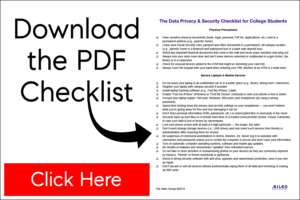
You can find more tips on how you and your student can lock down social media accounts, as well as how to protect student data and devices on campus, in The Data Privacy & Security Checklist for College Students  (PDF).

As you send your child off to college this fall, arm them with the knowledge and power to keep their identity safe — in both the real world and online. Most importantly, let them know that it’s okay to ask for help from you, the university or a trusted advisor.


About Cybersecurity Keynote Speaker John Sileo

John Sileo is an award-winning author and keynote speaker on cybersecurity, identity theft and tech/life balance. He energizes conferences, corporate trainings and main-stage events by making security fun and engaging. His clients include the Pentagon, Schwab and organizations of all sizes. John got started in cybersecurity when he lost everything, including his $2 million business, to cybercrime. Since then, he has shared his experiences on 60 Minutes, Anderson Cooper, and even while cooking meatballs with Rachel Ray. Contact John directly to see how he can customize his presentations to your audience.

5 Steps to Stop Lost Wallet Identity Theft

How to Protect Your Lost Wallet or Purse against Identity Theft

In a panic that your lost wallet or stolen purse might lead to identity theft?  Take a deep breath and then take the First 5 Steps to Stop ID theft. First, you need to understand that a lost wallet or purse is one of the most concentrated sources of identifying documents. For now, assume that your lost or stolen wallet or purse will be used to exploit your identity. Sometimes, even when your missing item shows up unexpectedly, the damage has already been done by a clever thief who is simply returning your valuables so that you don’t suspect further theft and shut down your accounts. Don’t take any changes. Instead, take these first five steps (adapted from my Identity Theft Recovery Guide):

1. Inventory Your Lost Wallet or Stolen Purse from Memory

Want us to walk you through the entire recovery process with quick videos, easy forms and expert advice as you go? Click on the Recovery Guide and get started before your wealth evaporates.

The first step is to identify exactly what was in your purse or wallet.  If you haven’t photocopied everything, start making a list and add to it over the next few days as you remember more.  Here are some of the highest risk items:

Checks/checkbook*, Cell phone or smartphone, Keys, garage openers, Credit cards, debit cards, ATM cards, Drivers license, Student ID cards, Military ID cards, Medical ID cards, Auto insurance, Social Security card*, Loyalty cards, Bills to pay, Passport*, Library cards, Birth Certificates, Receipts, Passwords, PINs*, Child/Parent Info, Work ID…

* You should NEVER carry these items with you unless absolutely necessary for a certain occasion.

2. Make Immediate Calls & Log Conversations

The next step is to make calls regarding missing items and keep a log of all correspondence. The sooner you properly shut down these accounts, the less you will lose. (See Video or Identity Theft Recovery Guide)

3. Protect the Sensitive Data on Your Mobile Devices 

If you have taken any preventive steps to protect your mobile device, such as remote tracking and wiping, don’t hesitate to remotely erase your mobile device. It is a digital treasure trove of personal identifying information. If you haven’t already implemented remote tracking and wiping on your cellphone, do so now. (Step 4)

4. Change Passwords on Affected Online Accounts

If you carried any information regarding your online accounts in your lost wallet or bag (especially on a smartphone or tablet that was stolen too), immediately change passwords on all relevant online accounts. A single mobile phone can have multiple logins for banks, investment brokers and numerous financial institutions. I highly recommend utilizing a password protection software to encrypt and protect your numerous passwords.(Step 5)

5. File a Police Report

In order to draw a line in the sand (any crimes committed in your name or money taken out of your accounts that happens after the police report are easier to defend, should it be required.) As discussed in the Guide, filing a police report can be difficult, so attempt to submit it online before trying in person. (Step 8)

In total, there are 31 unique steps for you to consider during the recovery process, including filing victim and police reports, locking criminals out of your credit, taxes and medical benefits, as well as defending your online accounts, children’s identity and safeguarding your financial investments.

John Sileo is the award-winning author of four books on identity theft, including The Identity Theft Recovery Guide. John delivers keynote speeches to conferences and companies that don’t want to end up as the next data breach headline. His clients included the Department of Defense, Pfizer, Visa and Homeland Security. Watch John keynoting, on Rachael Ray, or through the eyes of his clients.


Stop Check Fraud with Security Checks

How to Stop Check Fraud and Check Washing

Check washing, a highly common form of check fraud, is the practice of removing legitimate check information, especially the “Pay To” name and the amount, and replacing it with data beneficial to the criminal (his own name or a larger amount) through chemical or electronic means.  One of the many ways to protect yourself against check fraud is so important that it deserves its very own article.

A foolproof way to protect your checks from being altered, whether by washing or by electronic means, is to use security checks offered by most companies.

Here are some of the features to look for when you’re purchasing High Security Checks.  These features will safeguard you not only against check washing, but other high tech forms of check fraud as well:

  • Safety security paper (visible and invisible fluorescent fibers, chemical-sensitive)
  • Foil hologram (cannot be reproduced by copiers or scanners)
  • High resolution border elements (intricate design is difficult to reproduce)
  • True watermark (cannot be reproduced by copiers or scanners)
  • Toner adhesion  (damage is visible if toner is lifted or scraped)
  • Void element (the word void appears if photocopied or chemically altered)
  • False positive test area (instant authenticity test with black light or counterfeit pen)
  • Complex pantograph background pattern and high-security colors
  • Thermochromatic ink (reacts to heat to deter copying)
  • Original document backing (deters cut and paste alteration attempts)
  • Chemical wash detection area (shows chemical alteration attempts)
  • Security warning box (becomes visible when photocopied)
  • Padlock icon (signifies that checks meet industry standards)

One more vital tip to foil the check washers: use a dark ink, gel-based pen, preferably one that states it is a security pen. Take a look at the video to the left to see how easy it is to wash a check if you are not using a high security gel-based pen. 

Yes, you may spend a few extra dollars for security checks and pens, but compared to the staggering cost of recovering from check-washing schemes (small businesses lose more than 7%  of their annual revenue to check fraud  – over $600 billion), it’s a drop in the bucket!  Your peace of mind and saved recovery time are worth it.

Checks Unlimited provides personal Securiguard checks with 7 advanced security features including chemical protective paper, microprint signature lines, and a 2 dimensional holographic foil that is irreproducible on copiers or scanners.  Their Security Center also offers fraud prevention tips and security products!

John Sileo is CEO of The Sileo Group, and a  keynote speaker on cyber security, identity theft and business fraud prevention. His clients included the Department of Defense, Pfizer, and Homeland Security. See his recent media appearances on 60 Minutes, Anderson Cooper and Fox Business.


I Left My Credit Card @ The Restaurant, Now What?! – Privacy Project Episode #8

So I’m out to dinner with a professional speaker whose name I’ll drop so that you’ll be impressed. Larry Winget. Larry is the Pitbull of Personal Development and he’ll probably kill me for not putting a trademark after that title, because he owns it. If you have somebody in your life (kid, employee, boss) that doesn’t take responsibility for the life they lead and the work they’re supposed to do, Larry’s your man. Google his name and find out, or go to LarryWinget.com.

But back to my story. I treated Larry to dinner in Phoenix because I owe him a thousand meals for the coaching he gives me and we’re leaving the table when his wife (who is much nicer than Larry) asks if I’ve taken my credit card out of the folder. Nope. God I hate when that happens! Small oversight for someone who lives and breathes security and privacy. I left my card in the folder, on the table and was fully prepared to leave the restaurant!

Anyway, this brings up a good point. Now matter how much you know, no matter how hard you work at protecting your identity,sometimes you will slip up and be your own worst enemy. There are just simply times when identity is out of our control. But you don’t have to stress about it. A quick response solves a lost credit card without much pain. Take a look at the video for steps on what to do if you lose or misplace your card.

5 Disastrous Decisions that Destroy Small Business – and How to Avoid Them

Interactive Webinar, Sponsored by Deluxe Corporation, Featuring Privacy Expert John Sileo

ST. PAUL, Minn., Oct 04, 2012 (BUSINESS WIRE) — Cyber criminals sabotaged John Sileo’s business – and nearly landed him in jail. Now he’s determined to help small business owners prevent the disastrous mistakes that loom ever-larger in the age of identity theft, mobile computing and social media.

Sileo will share his story – and the lessons he learned – in an hour-long interactive webinar on Tuesday, Oct. 9 at 2 p.m. EST. Titled “5 Disastrous Decisions that Destroy Small Business,” the webinar is sponsored by Deluxe Corporation and designed to provide business owners with simple, actionable tools to help protect their operations and enhance their efficiencies.

To register for the 2 p.m. EST webinar, go to www.deluxe.com/highsecurity.

Sileo is the award-winning author of “Privacy Means Profit,” and has appeared on “60 Minutes” and “Fox and Friends.” He launched his career as a privacy consultant after thieves stole his identity and used it to embezzle nearly a half million dollars from his clients. The security breach destroyed his business and triggered a two-year legal morass.

Now, Sileo is America’s leading professional speaker on identity theft and information control. During the Deluxe’s interactive webinar, he will be joined by Susan Haider, executive director, high security product management, Deluxe Corp.

He will share insights gleaned from years of experience, including details on:

  • How Sileo’s business was destroyed by poor decision-making.
  • Mistakes other small business owners have made and how to avoid them.
  • Concrete, actionable steps you can take to minimize your risk now.Human, physical and digital threats to your business security.
  • Targeting skills you can use to design your plan of attack.We

Following the presentation, participants can get personalized advice from Sileo and Haider during a Q&A session. Participants also will receive a free copy of “Are Tax-time Identity Thieves Targeting Your Small Business? 5 Defense Strategies,” a white paper written by Sileo.


About John Sileo John Sileo is an award-winning author and privacy speaker on the dark art of deception (identity theft, data privacy, social media manipulation) and its polar opposite, the powerful use of trust, to achieve success. His clients include the Department of Defense, Pfizer, the FDIC and Homeland Security. Watch him on Anderson Cooper, 60 Minutes or Fox Business.

His satisfied clients include the Department of Defense, Blue Cross, Homeland Security, the FDIC, Pfizer, the Federal Trade Commission and corporations, organizations and associations of all sizes.

About Deluxe Corporation Deluxe is a growth engine for small businesses and financial institutions. Over four million small business customers access Deluxe’s wide range of products and services including customized checks and forms as well as website development and hosting, search engine marketing, logo design and business networking. For financial institutions, Deluxe offers industry-leading programs in checks, customer acquisition, regulatory compliance, fraud prevention and profitability. Deluxe is also a leading printer of checks and accessories sold directly to consumers. For more information, visit us at www.deluxe.com , https://www.facebook.com/deluxecorp or https://twitter.com/deluxecorp .